

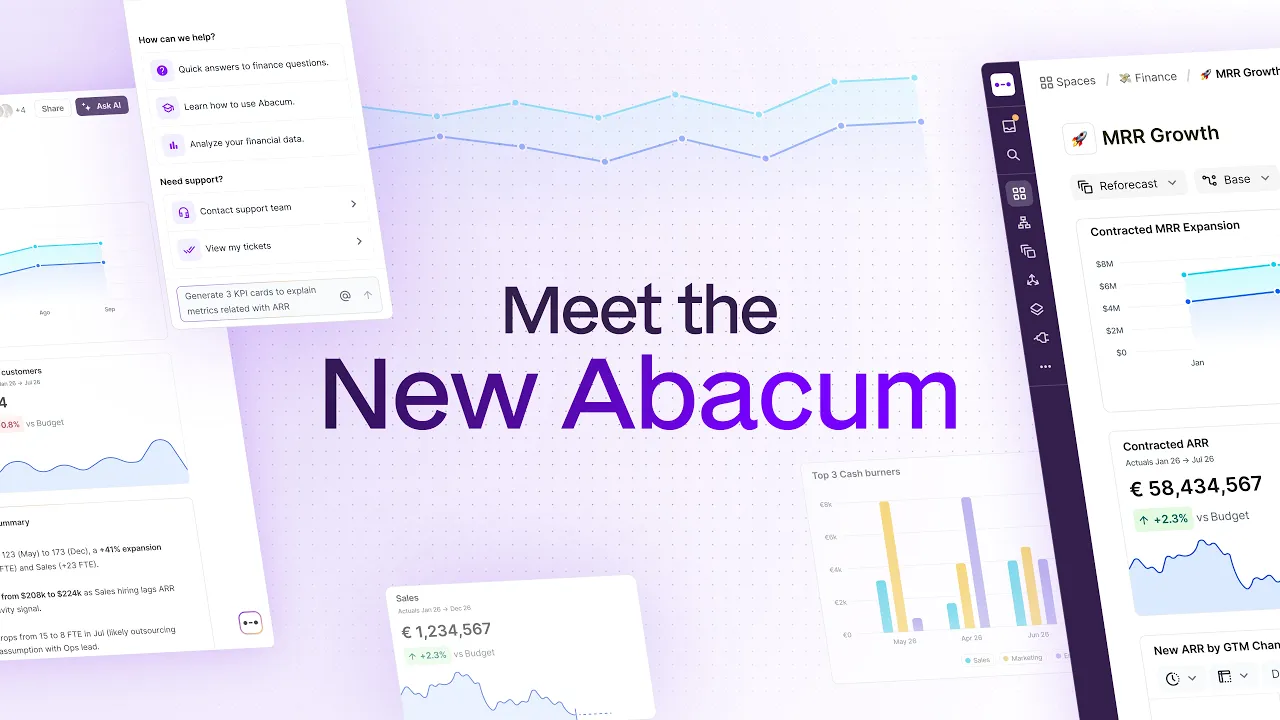
Quick answer: Abacum has rebuilt its platform layout so that Spaces, Models, Datasets, Versions, and Dimensions now share one consistent page structure. The update is live for every Abacum customer as of this release. Features have not changed, but navigation, the AI agent panel, and mobile review are new. There is no separate opt-in.
What changed in Abacum's 2026 layout update
Finance teams do not live in a product tour. They live in a table with 400 rows open at 9pm on the third day of close, and every pixel that is not data works against them.
That was the recurring theme in customer interviews: not requests for new features, but frustration that every page behaved a little differently and left too little room for the work itself. In response, Abacum rebuilt the layout of the whole platform. It is now live for every customer.
Same features, one consistent structure, more room for data
A shared page layout across Spaces, Models, Datasets, Versions, and Dimensions
A collapsible right-side drawer for resource info and activity
Abacum Intelligence (the AI agent) moved into a side panel next to your data
A redesigned Spaces row showing subspaces, reports, and status in one place
One-click integration status checks with last-sync dates
Dimension search that matches level names, not just dimension names
Responsive Spaces for phone and tablet review and approval
Why does one layout across five surfaces matter?
Spaces, Models, Datasets, Versions, and Dimensions now share the same page structure. Learn one, and you have learned all five.
New analysts stop hunting for an action they already know how to use. Switching from a model to a dataset no longer means resetting expectations about where things are. The learning curve is paid once, not five times.
How does the new top bar and side drawer work?
A new top bar frames every page. A right-side drawer holds a resource's info and activity, so you can check who touched a model and when without leaving the space you are working in.
Drag the drawer wider for detail, or collapse it for canvas space
Double-click the handle to snap back to the default width for your screen
Where does the AI agent (Abacum Intelligence) live now?
Abacum Intelligence used to float over your content. It now sits in a side panel next to it.
Ask the agent to explain a variance while the table stays visible
Keep several conversations running per topic
Let a long analysis finish in the background while you keep building
The answer and the numbers it came from are on screen together, which is the only way anyone actually checks an AI's work.
What changed on the Spaces page?
One row under a space's title now shows its subspaces, its reports, and its status.
Click through a searchable list of subspaces with each one's status
Pick a report from a dropdown
Change a space's status in a single click
If a space has no report yet, the same row offers to add one
Admins can also group spaces into sections and reorder them by drag and drop from the space list. For accounts running hundreds of spaces, that is the difference between a list and a structure.
What changed for integrations and dimensions?
Clicking an active integration connection now opens an info panel with three things: who has access, the connection details for that vendor, and every dataset it feeds, each with its last sync date. Connections that need attention are labelled. Checking whether last night's GL sync landed is now one click instead of a walk through every dataset.
The Dimensions page now shows each dimension's levels in a column, and the search bar matches level names as well as dimension names. Searching "squad" finds the dimension it lives in, even when that dimension is called something else entirely.
Can I review and approve reports from my phone?
Yes. Spaces are now responsive.
Device | Behavior |
Smartphone | Vertical, card-based feed with horizontal scroll inside wide tables |
Tablet | Adaptive grid |
Desktop | Full editing (editing stays on desktop) |
Budget owners and executives can review a report and approve it in one tap, from anywhere.
Is the new layout rolled out to everyone, or opt-in?
Rolled out, not rolling out. The new layout is on for every Abacum organization now; there is no phased or opt-in rollout. Teams that learned the old layout should expect a few days of adjustment. That trade-off was deliberate: one structure that works identically on every page beats five pages that each behave their own way.
What is next after this layout update?
The layout is a foundation, not a finish line. Expect the same treatment across the remaining surfaces, and clearer in-product guidance when things move.
















